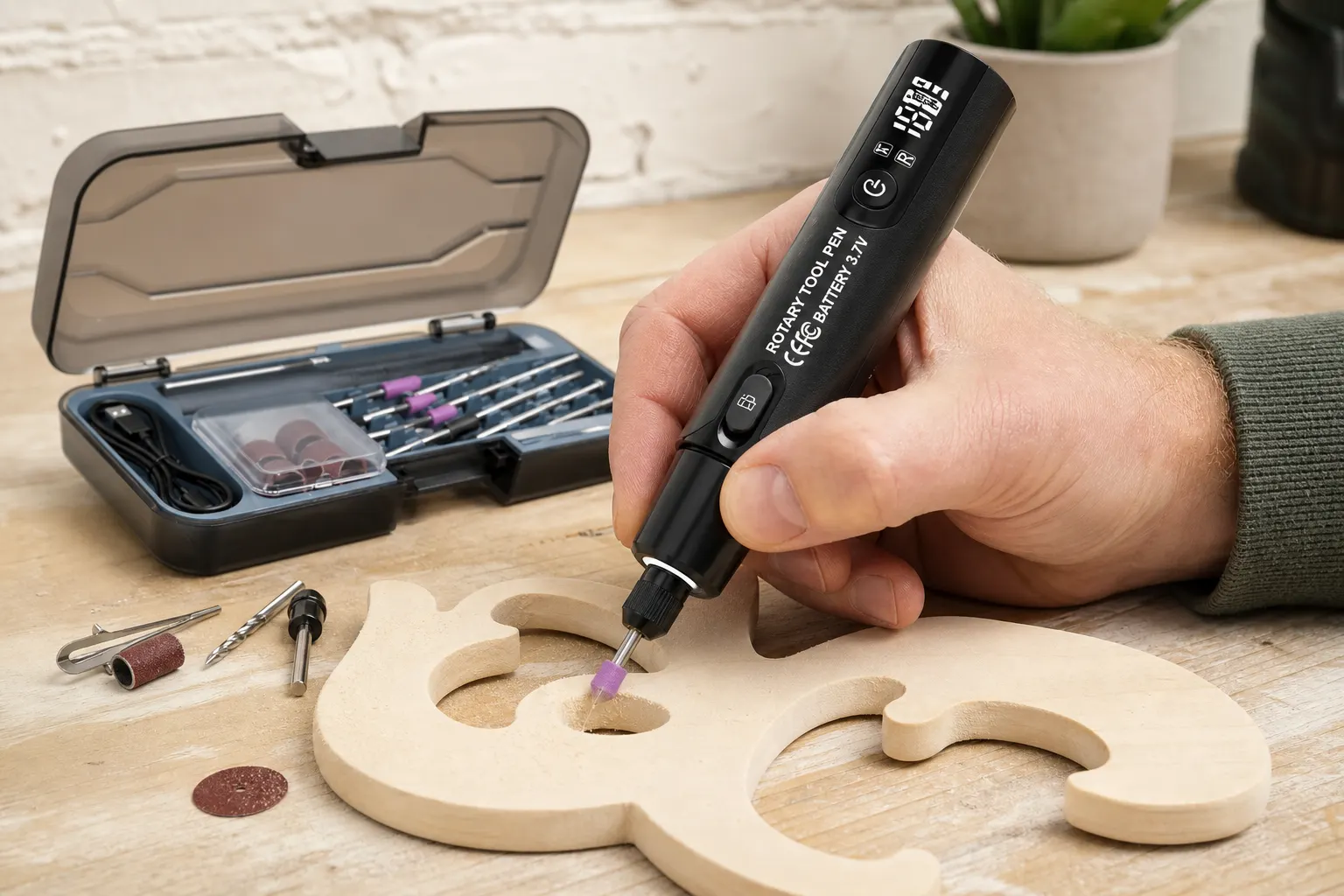
Short answer: For real-world DIY use, this cordless rotary tool is documented for engraving, polishing and drilling, with rechargeable lithium power, a digital speed display and electronic forward and reverse switching. That makes it relevant to small jobs where cable-free handling and visible settings are useful. The product page does not specify materials, accessory contents, speed range, battery runtime, drilling capacity or continuous-duty performance, so the sensible boundary is narrow: plan only a task supported by the current instructions and a compatible accessory. Do not turn the three listed uses into a claim that the tool can cut, grind or finish every household material.
Translate the listing into practical tasks
Engraving means marking or removing a small amount of material with a suitable accessory; polishing requires an appropriate medium and compound; drilling needs a bit and work support suited to the material. The listing names the operations but does not define the materials or capacities.
A real project brief should therefore include the object, finish, working area and expected session. That brief can be checked against the tool and accessory instructions before the object is placed at risk.
| Listed operation | Practical planning question | Missing from the page |
|---|---|---|
| Engraving | Which material and engraving point are approved? | Material list and supplied point |
| Polishing | Which pad, compound and speed does the surface require? | Pad inventory and speed range |
| Drilling | Which bit, diameter and support method are permitted? | Capacity, chuck size and material limit |
Use cordless handling where it solves a real constraint
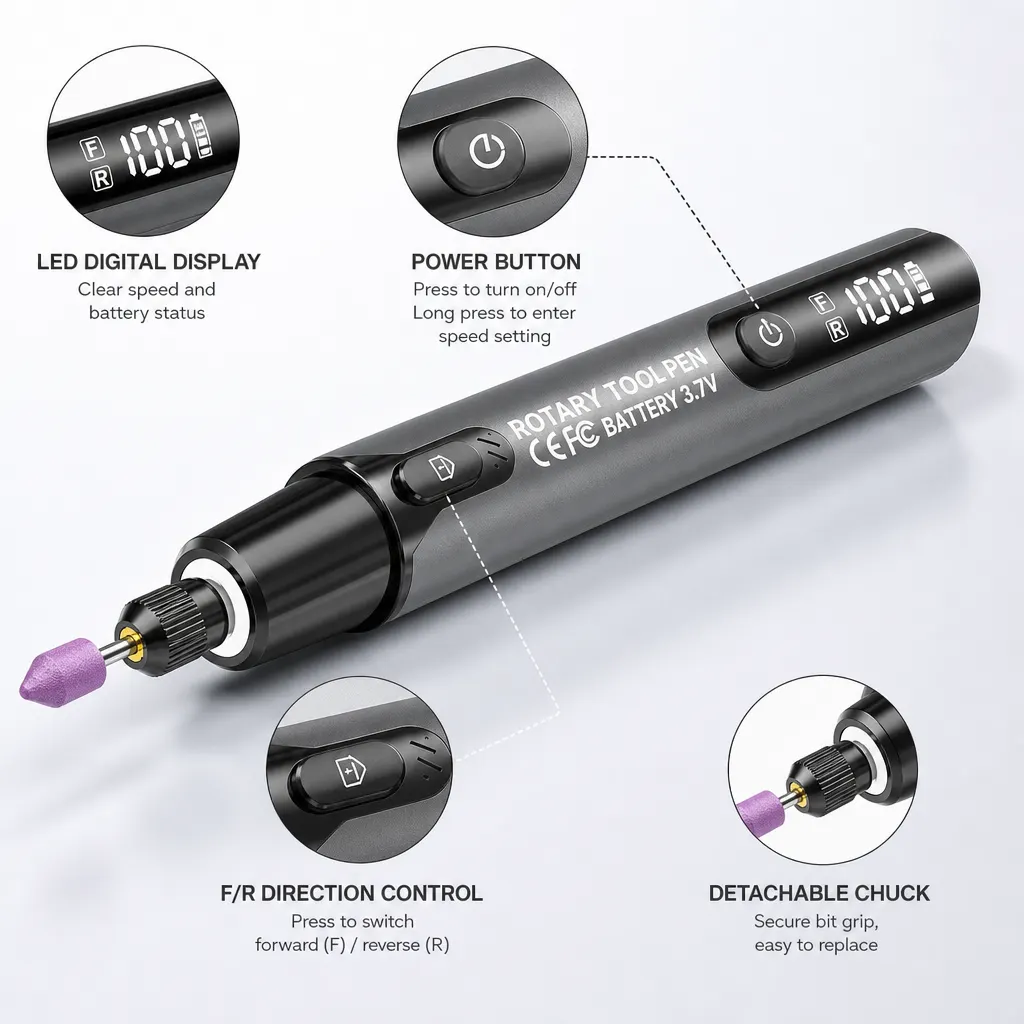
Rechargeable operation can reduce dependence on a nearby socket and remove a trailing power lead from the immediate work area. It does not establish that the battery will last for a particular session or that the tool can maintain output under sustained load.
The manufacturer does not specify runtime, charge time, battery replacement or duty cycle. Keep a charging plan and a corded alternative in mind if the job cannot tolerate an interruption.
Know what real-world use does not prove
The manufacturer does not specify cutting performance, sustained grinding, maximum drilling size, torque, speed range, runtime, noise, vibration, ingress protection or professional production use. Do not use photographs or generic rotary-tool advice to fill those gaps.
HSE notes that eye hazards include dust and projectiles and that PPE must suit the task. Material-specific dust controls may also be needed. Use the current instructions and local risk assessment before moving from a small craft object to construction material.
- No published heavy-cutting claim
- No published all-day runtime or duty cycle
- No published universal material list
- No published accessory inventory or fit table
- No published safety certification on the written page
Related guides and product details
Use the kit for a verified small engraving, polishing or drilling task, and choose another tool when the material or workload exceeds the written evidence. Read Tool to Engrave Wine Glasses at Home: Safe Checks for related guidance. Read How to Choose a Cordless Rotary Tool for related guidance. Review the documented specification on the Cordless rotary tool kit with digital display product page before ordering.
Sources and safety context
- Supports the three task categories and documented control features. Current Cordlrotar product page.
- Supports task-specific protection for dust and projectile hazards. Using personal protective equipment to control risks at work.